How Much VRAM Do You Actually Need for SillyTavern in 2026
If you’re getting into local LLMs for SillyTavern roleplay, the biggest bottleneck is your VRAM. After testing various setups (and lots of models 🤣), here is the reality of what you can expect based on your hardware in 2026.
Less than 8GB: The “Wasted Effort” Tier
Forget about it. If you have 4GB or 6GB of VRAM, you’re better off using an Cloud API. You’ll be forced to use tiny models (4B or less) At best you’ll be using heavy quantization version of 8B model (which is not that smart even at FP) that the characters lose all personality or have brain damage.It’s a subpar experience and frustrating. Trust me, you’re going to waste your time.
8GB VRAM: Not Good (but might passable for some)
You can technically run a good model here, but you’re constantly fighting for air. You’ll likely be stuck with Q4 quants of 8B models. The result? The AI often forgets context, gives repetitive “robotic” responses, or starts hallucinating mid-scene.
I tried Llama 3.1 8B (Stheno/Lumimaid finetunes) this is the best “bang for vram” for model this size. but some says Mistral-v0.3 7B is also great. For me I’d prefer Q3 version of Gemma 2 9B, feel much more realistic than previous two but a little brain damange from heavy quantization
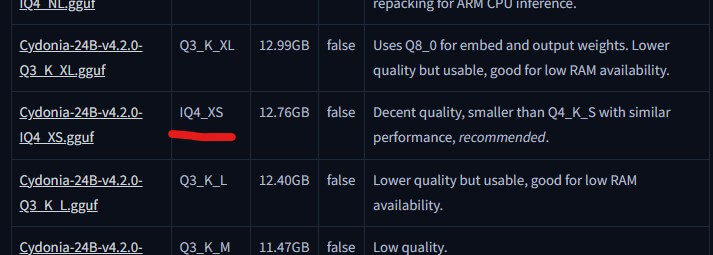
You can choose iMatrix quant model if available. These models use “Importance Matrix” to ensure the model stays smart even at low bitrates. For example, Q4 iMatrix model (the “IQ” prefix) usually performs better than regular Q4 model
16GB VRAM: The “Sweet Spot” for Starters
This is where local LLMs actually become fun. With 16GB, you can run high-quality 12B models such as Mistral Nemo 12B comfortably. but for me I’d prefer offloading larger models to the system RAM.
Sacrifice a bit of speed to run a Q4 version of Gemma 2 27B (abliterated version because of many reasons 🫡) I personally prefer Gemma because it isn’t “preachy” or overly wordy like some Mistral finetunes. It feels more natural and grounded in roleplay.
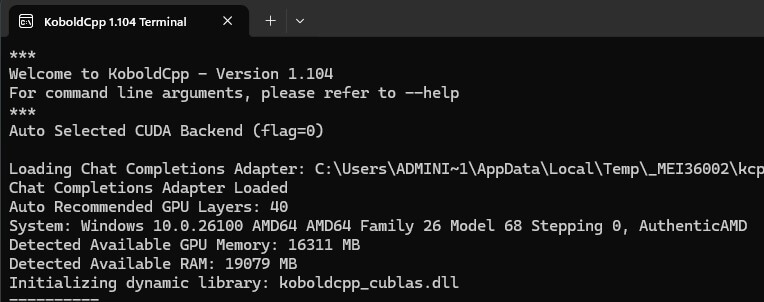
Tips: Always use KoboldCpp and KV cache to increase your context size!
24GB VRAM: The “Holy Trinity” & High-End Tier
At 24GB (RTX 3090/4090 territory), you stop compromising. You can run 30B+ models with enough room left over for the “Holy Trinity” of immersion:
Run massive models like Qwen3-32B or Yi-1.5 34B or Gemma 2 27B
Use AllTalk or Chatterbox (local XTTSv2) to give your characters a unique, cloned voice that responds in real-time.
Use the extra VRAM to host a VRM avatar with LipSync. Your character doesn’t just text; they look at you and move their mouth as they speak.
Tips for a Small VRAM GPU
To squeeze a massive model into a smaller GPU you must use KoboldCPP. Your first thing to do is enabling Quantized KV Cache (setting it to Q4_0 or Q8_0). This slashes the VRAM usage of your chat history by up to 75%, often freeing up enough room to fit several more model layers onto the GPU. Pair this with Flash Attention to keep memory usage stable and prevent sudden VRAM spikes when your SillyTavern chat gets longer.
So How Much is “Enough”?
Ultimately, your VRAM defines your SillyTavern experience. 8GB is a struggle that often leads to “robotic” interactions but passable in some case. 16GB unlocks the ability to offload high-tier models and this is where you should start in 2026 (IMO). However, if you’re chasing the “Holy Trinity” or a high quality experience, 24GB remains the gold standard.
That's all for this post. If you like it, check out our YouTube channel and our Twitter to stay tune for more dev tips and tutorials